The B2B outbound tech stack has never had more options, or more noise. Every quarter brings new tools promising automated pipeline, and most of them solve a problem you do not have. The teams generating outbound revenue consistently run leaner stacks than you would expect — four functions, one good tool each.
This is what those stacks actually contain, with real prices, and what gets oversold alongside them.
The Four Layers of a B2B Outbound Tech Stack
The integration tax on specialist tools is real, and it is still cheaper than the capability an all-in-one gives up.
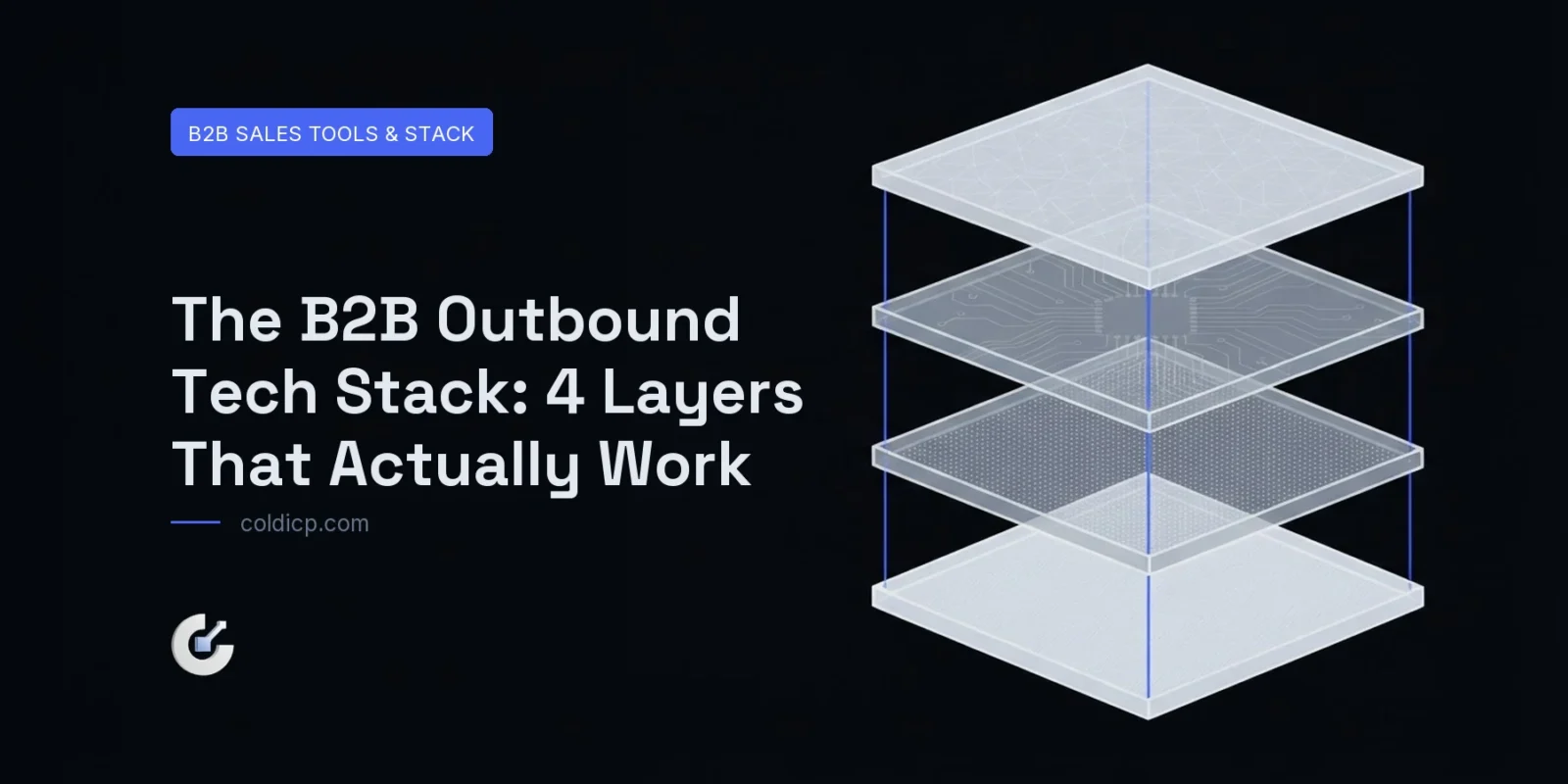
Architecture before tools. Every B2B outbound tech stack needs these four layers working cleanly, and in this order — each one assumes the layer above it already works:
- Data — finding and enriching contacts that match your ICP
- Infrastructure — sending domains, authentication, warmup
- Execution — sequence automation, sending, testing
- CRM — pipeline tracking, reply management, handoff
Tools that try to cover all four usually do none of them well. Specialist tools per layer, joined by clean data flows, beat all-in-one platforms in practice — the integration tax is real, and it is still cheaper than the capability you give up.
Layer 1: Data and Enrichment
Clay, as the hub
Clay has become the default data orchestration layer for outbound teams. It connects to dozens of providers and lets you build enrichment waterfalls — try the cheapest source first, fall through to expensive ones only when the cheap one misses. That single mechanic is where most of the cost saving in modern prospecting comes from.
Its differentiator is AI columns: scoring a lead against your ICP, drafting a first line, or flagging a trigger event, inline in the table. That is the step where raw data becomes outbound-ready. Our beginner’s guide to Clay walks the full platform.
Pricing: roughly $149–$800 a month depending on credits and seats.
Apollo, for database plus outreach
Apollo suits teams that want a contact database and a sending tool without building a Clay workflow. The database is among the largest available and the built-in sequencing means one platform end to end. The trade-off is data quality that varies by segment — strong in North American tech, thinner in niche verticals — and an execution layer less configurable than a purpose-built sender.
Best for: one to five reps who want a single tool.
Clearbit and firmographic enrichment
Now folded into HubSpot as Breeze Intelligence, it remains a strong firmographic source for inbound leads and existing CRM records. For outbound it belongs inside a waterfall as one source among several, not as a standalone prospecting tool.
Layer 2: Email Infrastructure
The layer teams under-invest in, and the one that most directly decides whether any of this produces pipeline.
Mailbox provider
Every sending domain needs a live provider. Google Workspace at $6–$18 per user per month is the standard for cold outreach domains: it establishes MX records, supports DKIM, and carries a solid reputation with Gmail. Set it up on every sending domain, not only the primary — that means a separate account per domain, and it is not optional.
Domains and DNS
Sending domains run $10–$15 a year each from any registrar. DNS — SPF, DKIM, DMARC — is managed at the registrar or through Cloudflare. Google’s own sender guidelines define the floor you are configuring against, and our MX, SPF, DKIM and DMARC guide covers each record.
Budget: at five to ten sending domains, $50–$200 a month all in. This is the cheapest layer in the stack and the most expensive one to get wrong.
Layer 3: Sequence Execution
Instantly, for scale
Instantly is the volume default: unlimited sending accounts on paid plans, a built-in warmup network, and a unified inbox that consolidates replies across every sending account. At $37–$97 a month, the unlimited-mailbox allowance is what makes multi-domain architecture affordable.
Smartlead, for deliverability control
The closest competitor, with arguably better built-in deliverability monitoring — per-mailbox health scores and detailed placement analytics. More technical to configure, and correspondingly more levers when something goes wrong. $39–$94 a month with unlimited mailboxes on every plan.
Lemlist, for multi-channel
Adds LinkedIn touchpoints and video personalisation to email sequences, which makes it the pick for genuinely multi-channel outbound. Sending volume limits are lower than the two above at a similar price, so it fits sequence complexity rather than raw scale.
If you are evaluating senders, use this cold emailing tool selection framework to test mailbox control, reply routing, integrations and exportability before committing.
Layer 4: CRM and Pipeline
HubSpot’s Sales Hub remains the default for B2B companies under a couple of hundred people, largely on integration breadth — native connections to the sending tools mean contact records stay current without manual entry, and the free tier is genuinely usable. Salesforce is the answer for complex deal structures and large AE teams, at meaningfully higher integration overhead and cost. Attio is worth evaluating if you are starting from scratch and want a more flexible data model without Salesforce’s weight.
The B2B Outbound Tech Stack We Recommend
data + enrichment          $149-400 /mo   Clay
├ contact database          $49-99  /mo   Apollo
├ infrastructure           $50-100  /mo   Workspace x5 domains
├ domains                    $8-15  /mo   5 registrations
├ sending + warmup              $97 /mo   Instantly
└ CRM                       $45-90  /mo   HubSpot
                          ------------
  total                   $400-800  /mo   ← 2,000-5,000 sends/day
| Layer | Tool | Monthly cost |
|---|---|---|
| Data and enrichment | Clay (Growth) | $149–$400 |
| Contact database | Apollo (Basic) | $49–$99 |
| Infrastructure | Google Workspace, 5 domains | $50–$100 |
| Domain registration | 5 domains | $8–$15 |
| Sending and warmup | Instantly (Growth) | $97 |
| CRM | HubSpot (Sales Starter) | $45–$90 |
| Total | $400–$800 |
That covers prospecting, enrichment, infrastructure, sending, warmup and pipeline for a team running 2,000–5,000 emails a day. It is the minimum viable B2B outbound tech stack that does not cut a corner on deliverability, and the gap between it and a $5,000-a-month stack is mostly dashboards.
What Gets Oversold
- Intent data as a primary prospecting tool. Intent is a prioritisation layer on top of a defined ICP, not a substitute for one. Buying it before you have clean targeting and working infrastructure is spend with nowhere to land.
- AI SDR platforms as full replacements. At $2,000–$5,000 a month they rarely beat a Clay-plus-Instantly stack run with human strategy and decent copy, at a fraction of the cost.
- All-in-one platforms. Anything claiming data, sending, CRM and intent in one product is typically mediocre at each. The integration tax on specialists is worth paying.
Further Reading
what Grok Bot can and cannot run
Running Clay and Instantly together as one stack
Smartlead versus Instantly, compared
Apollo versus Clay for B2B prospecting
Auditing tool sprawl in your GTM stack
The Bottom Line
A B2B outbound tech stack does not need to be expensive or complicated. Four layers, one strong specialist in each, clean data flowing between them, and human judgement governing targeting and copy. Teams running twenty tools are generating dashboard time, not pipeline — and the extra tools usually arrived to paper over a targeting problem that no tool solves.
If you are building this from scratch, start at layer two. Infrastructure is the cheapest layer and the only one whose failure invalidates everything above it. If you would rather have the whole stack built and operated for you, book a meeting.
FAQ
What is the minimum outbound stack for a B2B startup?
Apollo or Clay for data, Google Workspace on a dedicated sending domain, and Instantly or Smartlead for execution — under $200 a month. Add HubSpot’s free CRM from day one to track replies. Register a sending domain before your first campaign; never send from your primary.
Is Clay worth it for a small team?
If you are doing any real volume of list building, yes. The waterfall approach — cheapest source first — typically cuts data cost substantially against buying everything from one provider, and the saving shows up within the first month at 500+ sends a week.
Instantly or Smartlead?
Both are solid. Instantly for a simpler setup at high volume; Smartlead if you want granular deliverability monitoring and will invest the configuration time. Both offer unlimited mailboxes, which is the feature that actually matters for multi-domain sending.
Do I need a separate CRM?
Yes, from day one. Sending tools are built for execution, not pipeline management. The moment someone replies positively you need deal tracking, follow-up management and reporting, and retrofitting that later means losing the history of every conversation before it.