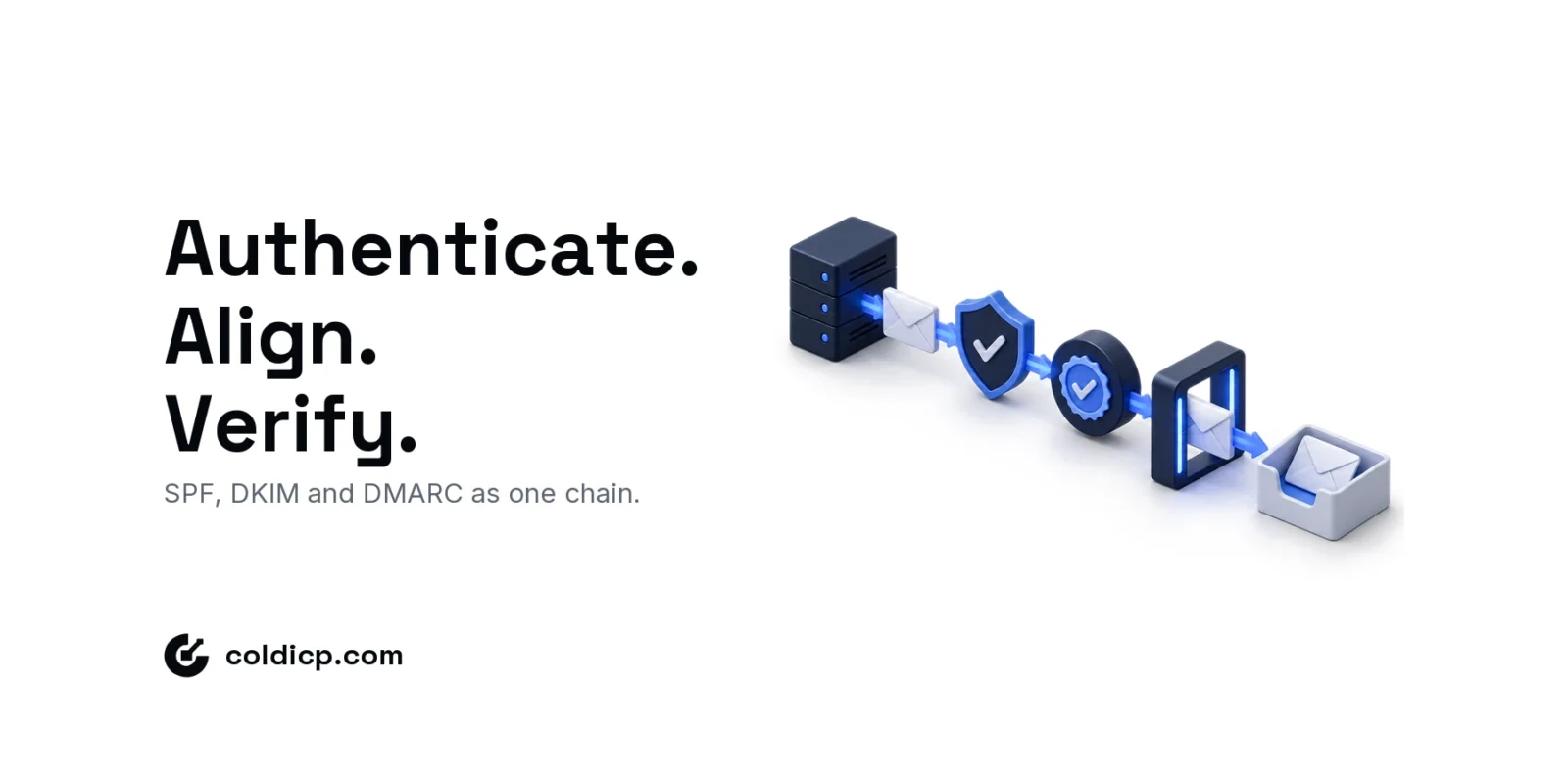
Correct SPF, DKIM and DMARC setup gives receiving servers a way to verify who sent a message and whether the visible From domain aligns with that authentication. Add working MX records so the domain can receive replies, then test the complete path before a campaign begins. The exact DNS values must come from your mailbox provider and sending platform.
Email authentication is a chain: records can exist while DMARC still fails because neither the SPF nor DKIM identity aligns with the visible From domain.
What SPF, DKIM and DMARC Setup Proves
SPF authorizes sending hosts for the envelope domain. DKIM signs a message and identifies the signing domain. DMARC checks whether at least one passing identity aligns with the visible From domain. Authentication reduces exact-domain spoofing; it does not prove that a message is wanted or guarantee inbox placement.
| Control | What to verify | Common failure |
|---|---|---|
| MX | The domain receives replies | Wrong host or unmonitored mailbox |
| SPF | The envelope domain authorizes the sender | Multiple records or excess lookups |
| DKIM | The message is signed by the expected domain | Wrong selector or signing disabled |
| DMARC | SPF or DKIM passes with alignment | Authentication passes for an unaligned domain |
Gmail requires all senders to personal Gmail accounts to use SPF or DKIM. Senders near or above 5,000 messages a day must use SPF, DKIM and DMARC, among other controls. Review the current Gmail sender guidelines because enforcement details can change. Our email deliverability checklist covers the reputation and monitoring work that authentication cannot replace.
Set Up MX and a Working Reply Mailbox
Create the mailbox, then publish the exact MX records the provider supplies. Do not copy another domain’s priorities or hostnames. Send a normal message to the new address and reply from it. Confirm both directions work, the reply reaches the intended queue, and someone owns response handling. If this is an outreach domain, make the ownership and separation decision with the sending-domain setup guide.

Publish One SPF Record for Authorized Senders
SPF is a TXT record for the domain used in the return path. Start with the value supplied by the mailbox provider and add every legitimate service through its documented mechanism. Publish one record beginning with v=spf1; multiple SPF records produce a permanent error rather than combining permissions.
RFC 7208 limits SPF evaluation to ten DNS-querying mechanisms, including nested includes. Remove services you no longer use and recheck the expanded record after each change. A sample such as v=spf1 include:_spf.examplemail.com ~all illustrates the shape only; it is not a value to copy.
Enable DKIM Signing and Check the Selector
Generate DKIM in the system that sends the mail. Publish its TXT public key or CNAME at the exact selector hostname, then enable signing if activation is a separate step. Each sending system can use its own selector. After sending a test, inspect the original headers for dkim=pass, the expected d= signing domain and the expected s= selector. The technical rules are defined in RFC 6376.
Finish SPF, DKIM and DMARC Setup With Alignment
Publish DMARC at _dmarc.yourdomain.com. A monitoring record can begin with v=DMARC1; p=none; rua=mailto:[email protected]. Route reports to a mailbox or service that processes aggregate XML; an unattended inbox is not monitoring.
Observe legitimate sources, fix failures and understand forwarding before moving to quarantine or reject. There is no universal safe waiting period. RFC 9989, published in May 2026, is the current DMARC specification and replaces RFC 7489. DMARC passes when aligned SPF or aligned DKIM passes. For adjacent risks, use the domain-spoofing protection guide.
Verify the Complete Path
- Confirm MX records resolve and the mailbox receives a reply.
- Confirm exactly one SPF record and an SPF pass through each real sender.
- Confirm DKIM signs with the intended domain and selector.
- Confirm DMARC passes and alignment matches the visible From domain.
- Confirm aggregate reports arrive and are reviewed.
- Repeat after any DNS, mailbox or platform change.
Test the mailbox provider, sequencer, CRM and any transactional system separately. Inspect received headers instead of relying only on dashboard badges. The SMTP testing guide covers transport checks alongside authentication. Once the path works, use the new-domain readiness guide for a controlled launch.
The Bottom Line
Reliable SPF, DKIM and DMARC setup means one valid SPF record, active DKIM signing, verified DMARC alignment, working reply delivery and a documented sender inventory. Copy provider-issued values, test real messages and recheck after every infrastructure change.
If you want authentication, routing and monitoring built as one managed system, review our cold email infrastructure service or apply for the GTM Pilot.
FAQ
Do low-volume domains need SPF, DKIM and DMARC?
Yes. Provider bulk thresholds do not remove the security and identity value of authentication at lower volumes.
Can a domain publish more than one SPF record?
No. Combine authorized sources in one record and keep the DNS-querying mechanisms within SPF’s lookup limit.
Should a new DMARC record use p=reject immediately?
Usually not before legitimate senders are inventoried. Begin with reporting, repair alignment gaps and enforce based on observed evidence.
Does DMARC guarantee inbox placement?
No. It validates aligned domain use; reputation, complaints, audience quality and message relevance still affect placement.